
Start with the question you need to answer.
Explore the closest analytical task, then inspect the product's real interface, settings and limits. These examples help narrow the choice; the complete collections remain below.
Which markets deserve closer review?
Crypto Setup PlannerRank Binance spot, perpetual and global-market baskets with setup evidence and independent quality gates.Market Confirmation EngineCompare local trend with a higher timeframe and one driver, including optional inverse-reference handling.Where is price within its structure?
Dynamic Channels EliteMap pivot-based channel families, dominant structure and eligible nearby rails with ATR distance and structural Q.Auto Fib Structure PlannerBuild a Fibonacci decision zone and target band from a confirmed swing, with readiness and reaction kept separate.What happened around liquidity?
Liquidity Command Center EliteOrganize swing pools and equal-high/low clusters, with confirmed sweeps and higher-timeframe context kept distinct.Sweep Reclaim Decision MatrixConnect a swept high or low with the later reclaim, retest and failure sequence using linked chart references.How do risk and trade geometry connect?
Risk Reward Execution MatrixLink an entry-review zone to invalidation, current R and a three-stage target ladder with lifecycle checks.Trade Management Planner EliteFollow manual or Auto Structure plan anchors through current R, the next target zone and management states.What does the observation sample support?
Trade Excursion EngineCompare historical heat and favorable reach after a defined trigger, using ATR-normalized excursion distributions.Edge Confidence GaugeCompare a win-rate estimate's Wilson interval with fixed-payoff breakeven and the evidence supplied by its sample size.Do I need an integrated workspace or the full library?
Trading Suite [AGPro Series]Connect market context, multi-timeframe agreement, structural levels, scenario risk and portfolio rotation in one TradingView workspace.AGPro Complete PlatformTrading Suite plus all 39 focused AGPro workflows: choose the right analytical tool for screening, structure, risk and review.Explore AGPro workflows by the decision they are designed to support. Each collection below opens the current products in that analysis family.
Plan the decision before the trade.
Workflows focused on risk, reward, invalidation, execution quality and trade management discipline.
Read context before reaction.
Tools designed around market structure, liquidity behavior, reclaim conditions and institutional-style chart mapping.
Build a repeatable review process.
Playbook, confirmation, trap and defensive workflows that support disciplined TradingView analysis.
 01
4 workflows
Liquidity & Reclaim
Liquidity runs, sweeps, reclaim behavior and reaction-zone review.
Explore collection → 02
8 workflows
Risk & Execution
Risk context, execution quality, invalidation and decision discipline.
Explore collection → 03
7 workflows
SMC & Structure
Market structure, zones, transitions and institutional-style mapping.
Explore collection → 04
17 workflows
Confirmation & Playbook
Confirmation, confluence and repeatable chart-review playbooks.
Explore collection → 05
2 workflows
Volume & Trap
Volume behavior, climax conditions, exhaustion and trap context.
Explore collection → 06
1 workflow
Defense & Management
Position defense, drawdown context and trade-management review.
Explore collection →Compare one focused workflow, Trading Suite and the complete platform.
Every option uses simple 5-Year Access. AGPro Complete Platform includes Trading Suite and all 39 focused workflows.
Explore the layers of one connected workspace.
Structure, risk and portfolio context come together in a modular TradingView review.
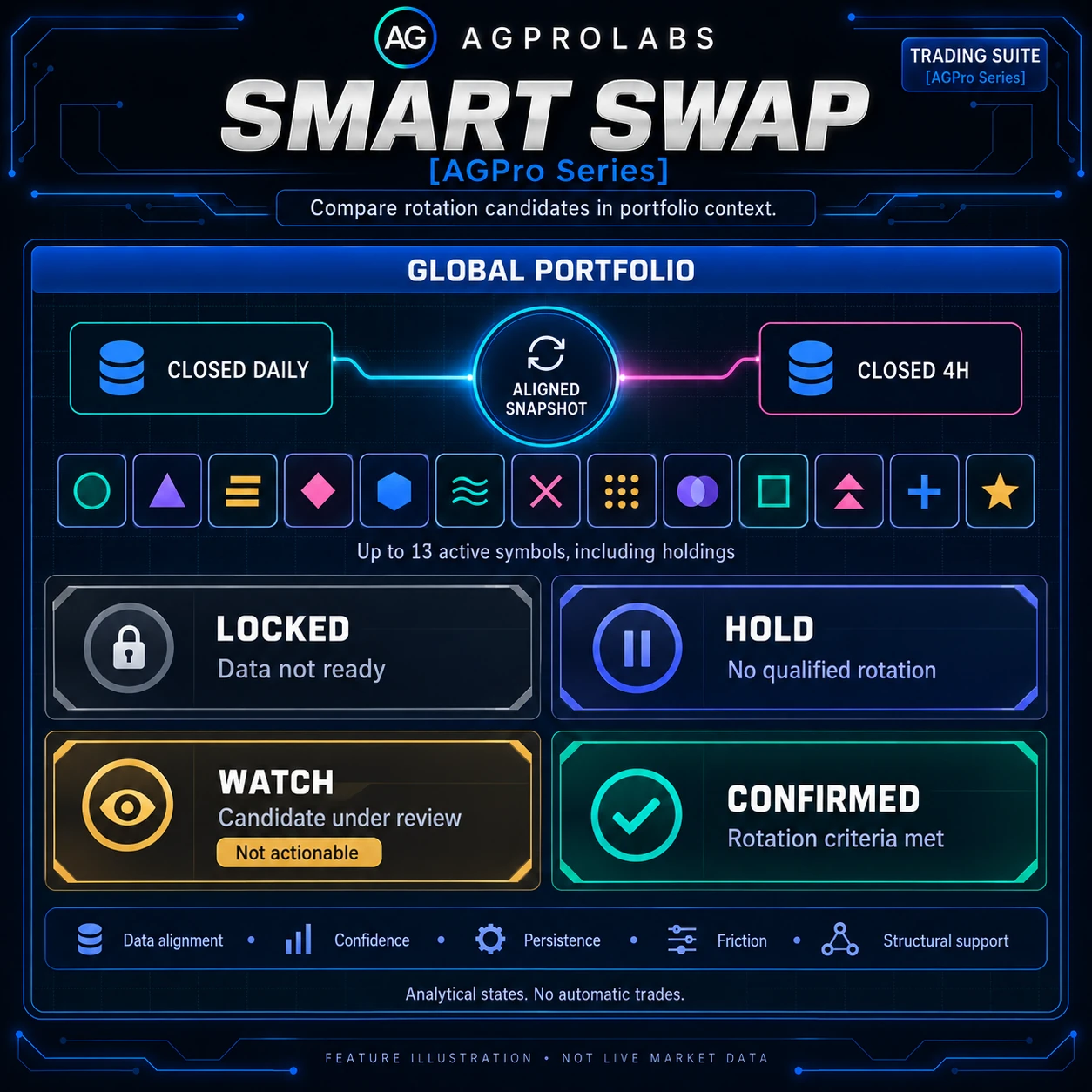
Compare opportunities with context
Smart Swap reviews confirmed Daily + 4H data and keeps HOLD and WATCH visible when conditions do not qualify.
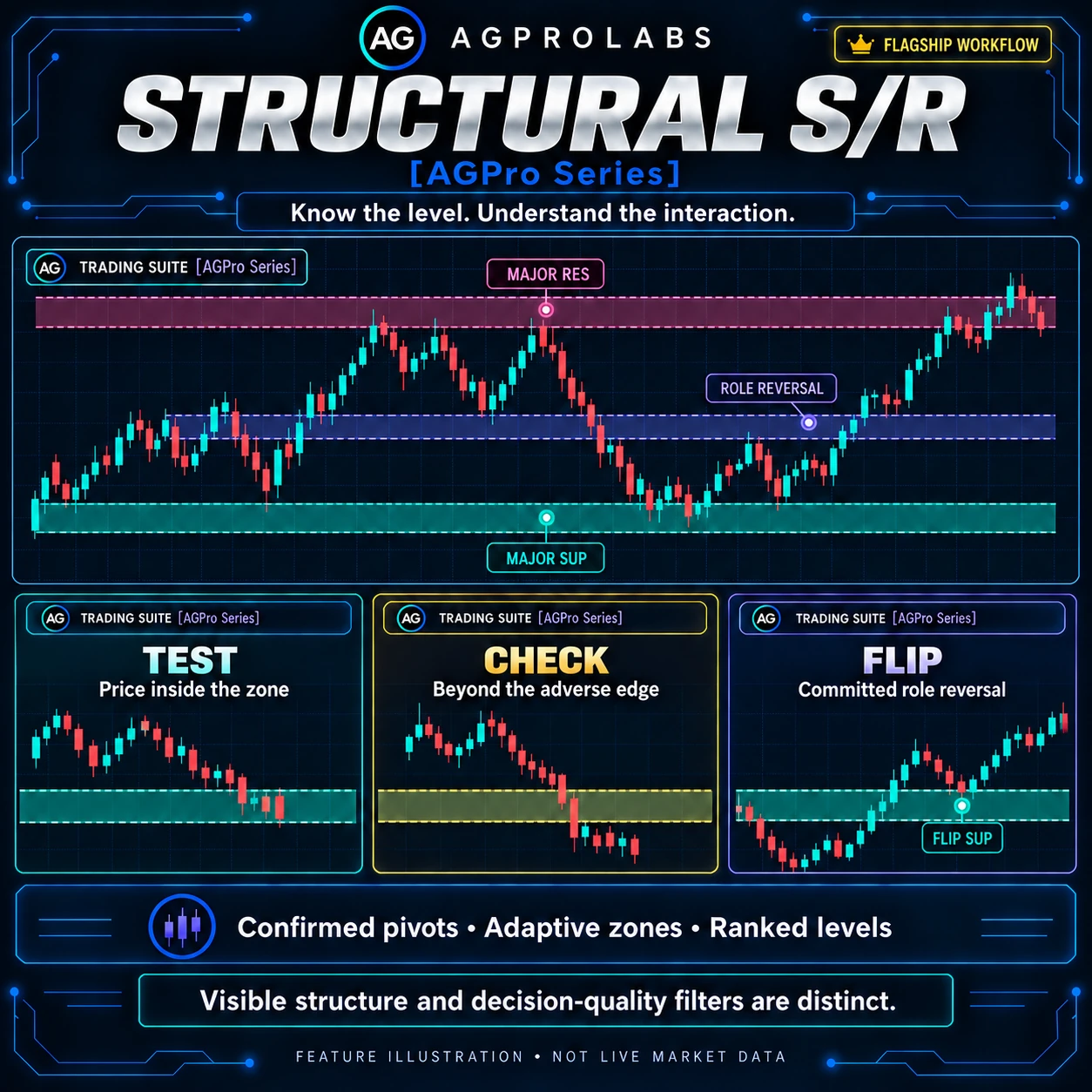
Read the level and its role
Review structural support and resistance, zone tests and confirmed role reversals.
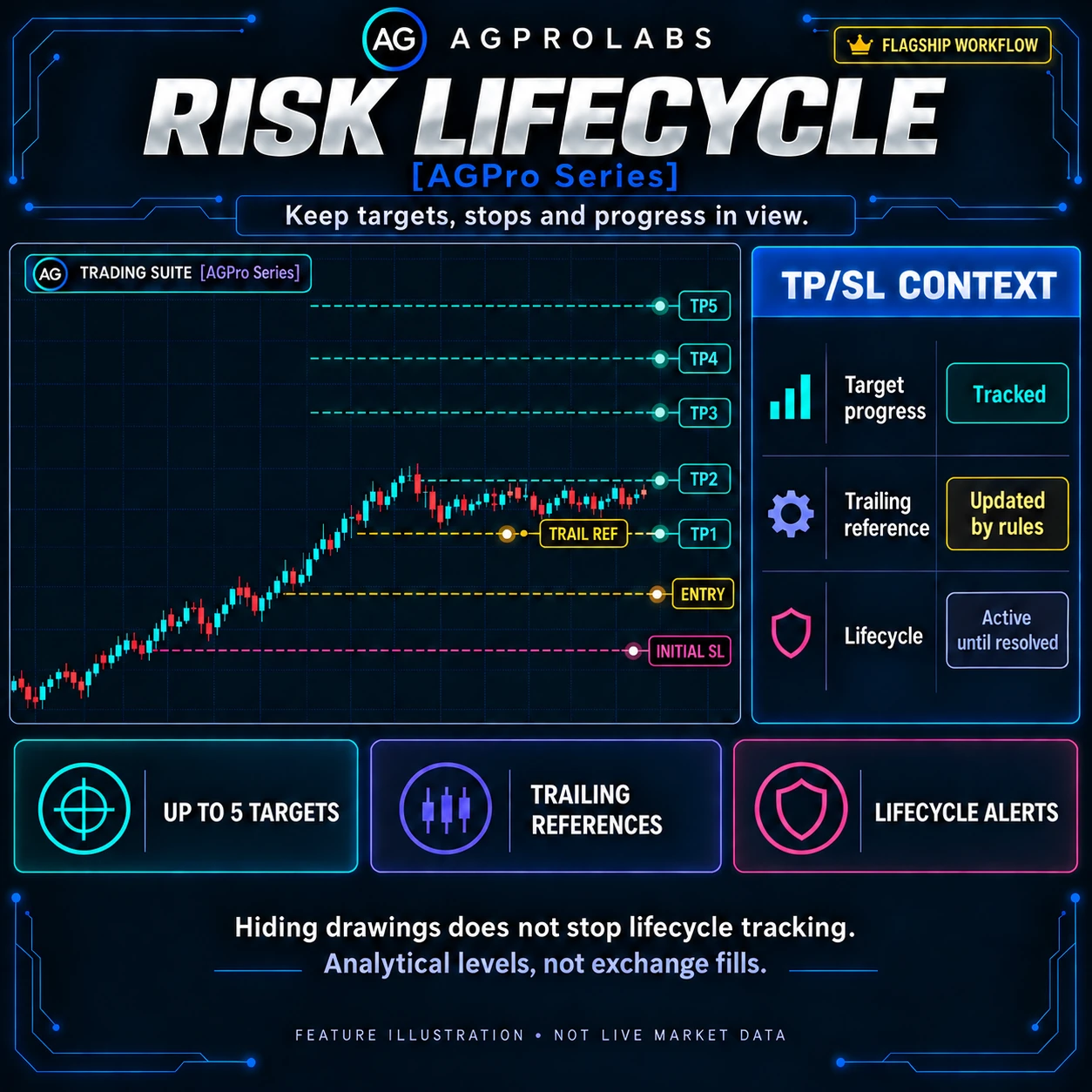
Keep the scenario in view
Track up to five targets, stop references and rule-based lifecycle progress beside the chart.